Give your AI
a memory it can trust
Conversations are distilled into knowledge cards, reviewed before they enter the vault, and measured with a built-in token ledger. One local SQLite vault shared by DSH / Claude Code / Codex / Cursor / any MCP client.

Not another vector store — an auditable memory layer
The hard part is not storing memories. It is making them trustworthy, making their cost visible, and making them usable by every agent. Those three decide whether memory survives daily use.
Review first
New cards land in a pending queue and only enter the main vault after human approval. Every status change is appended to an immutable audit log — who approved what, and when.
Token ledger
Recall injection, distillation calls and usefulness are recorded. The README even explains when memory does *not* save tokens — measure first, optimize later.
Local-first · multi-host
SQLite + Markdown on your own disk, no third-party memory framework, no account. DSH, Claude Code, Codex, Cursor and any MCP client share the same vault.
Real interfaces, not mockups
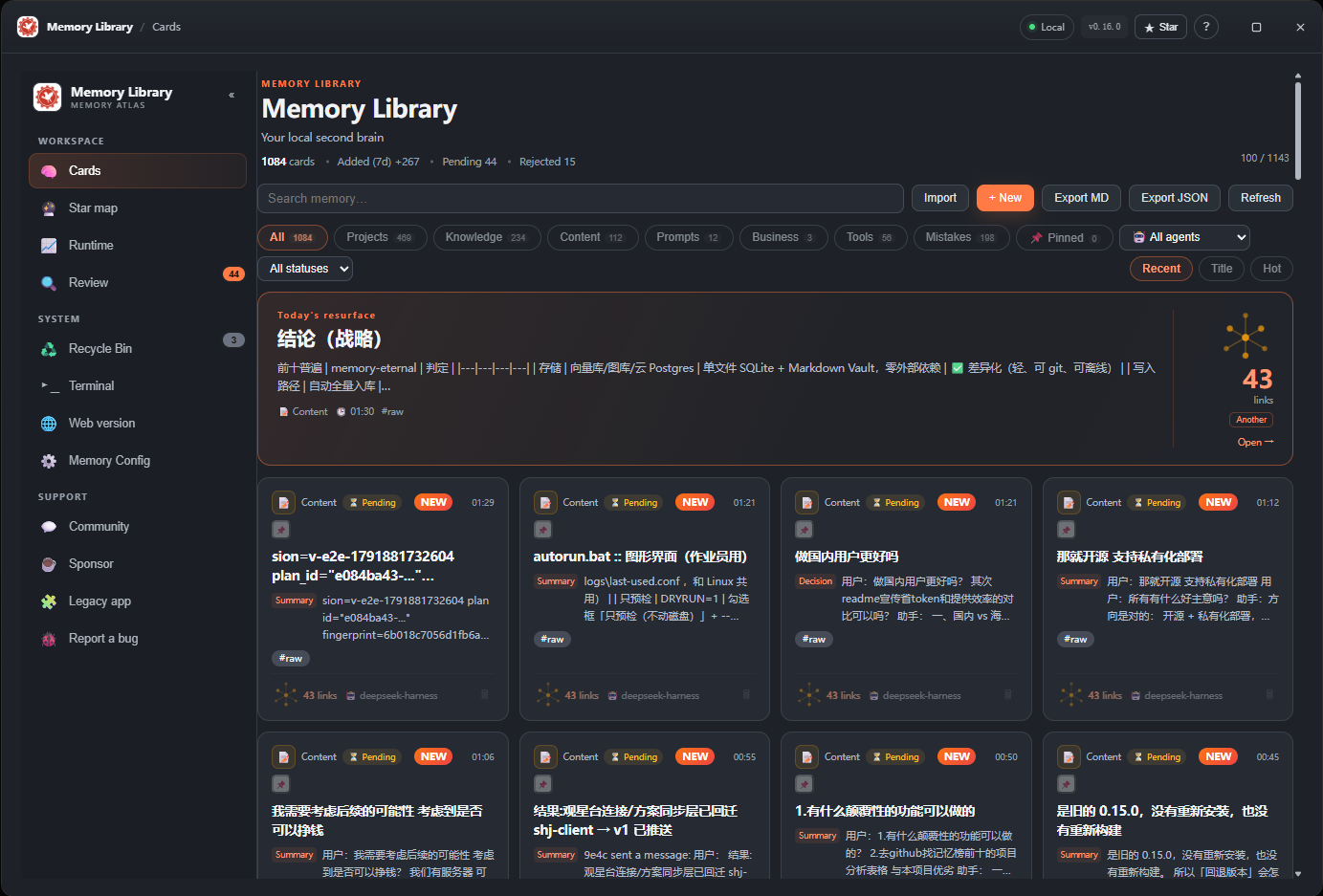
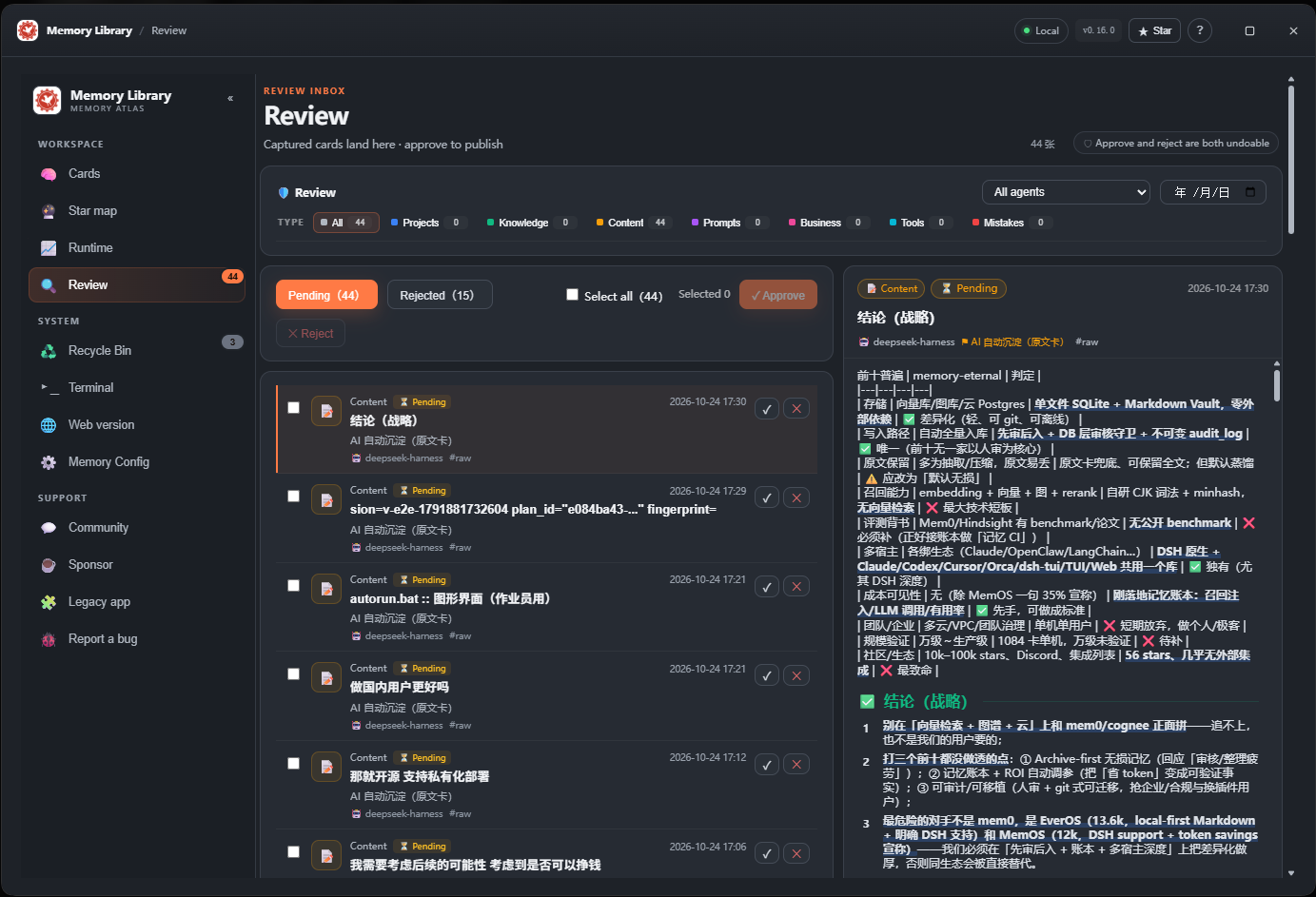
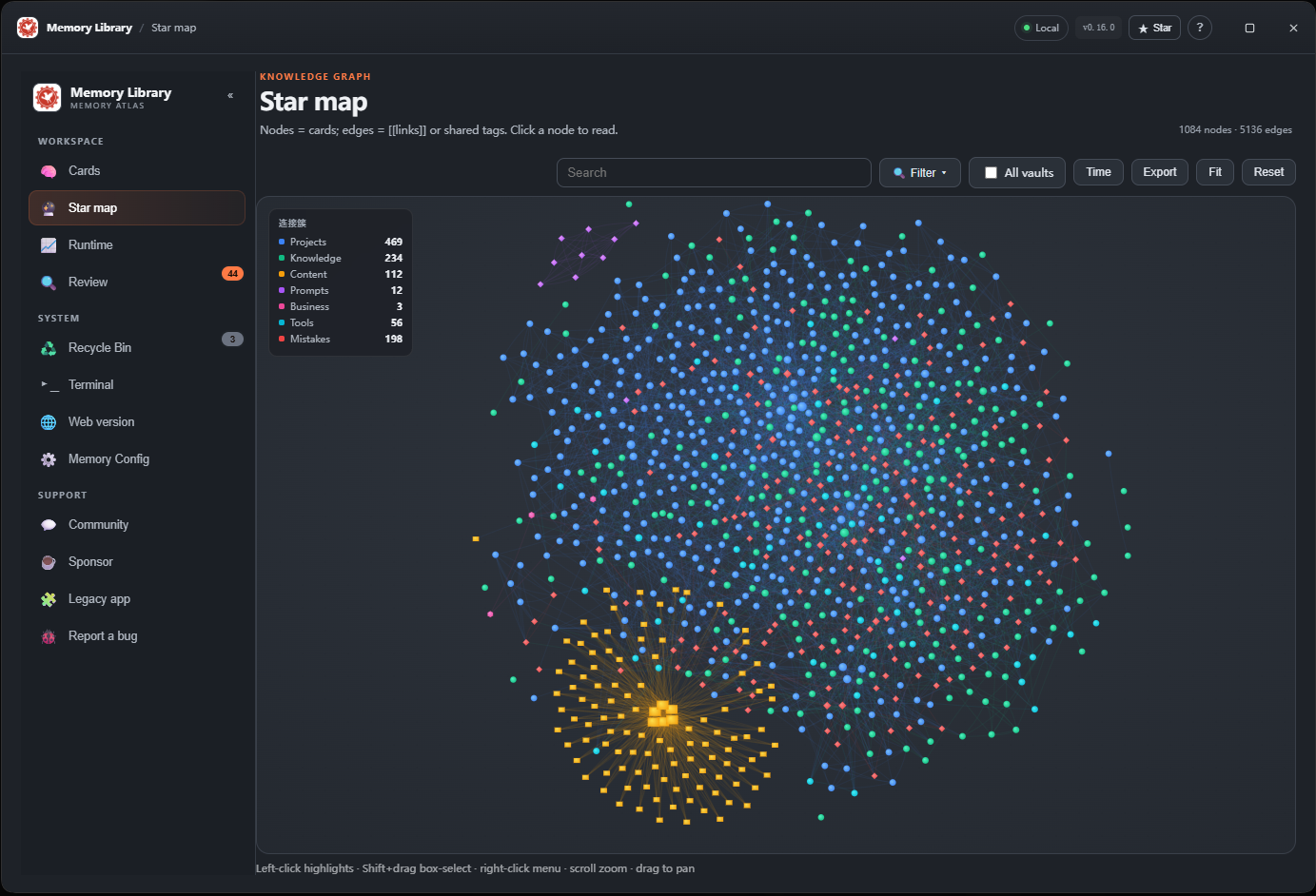
Does memory actually save tokens?
Most memory products claim they save tokens. memory-eternal ships a ledger that records recall injection, distillation calls and usefulness — measure first, conclude later.
net benefit ≈ avoided context cost − (injected characters + distillation calls × price)
- ✓ Saves: multi-session projects, many past decisions, avoiding repeated mistakes
- ! Does not save: one-off tasks, low hit rate, distillation nobody reuses
- → Measure yours with the ledger; if usefulness stays under ~60%, tune it down or turn memory off
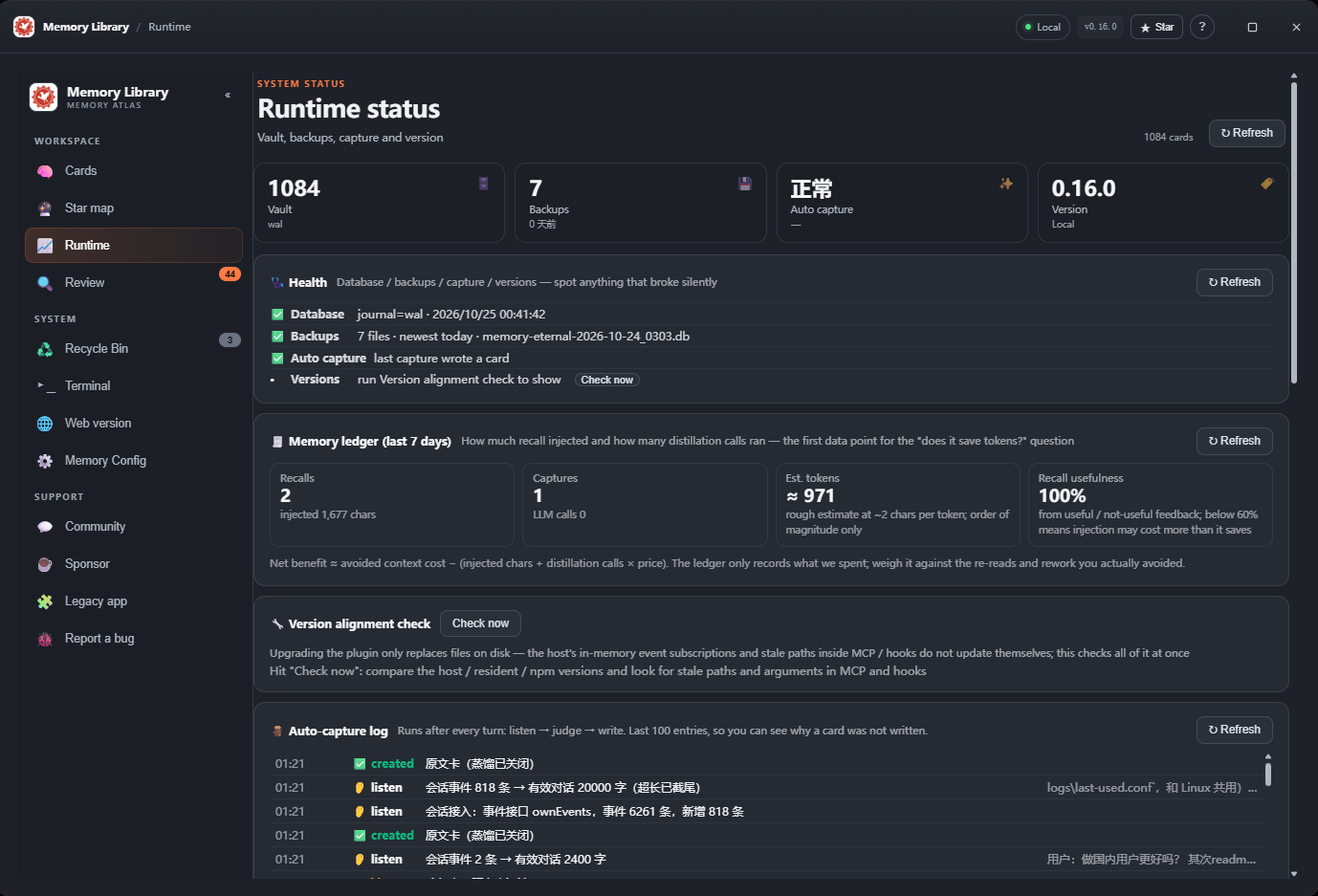
RUNTIME STATUS → MEMORY LEDGER
Up and running in minutes
Auto-capture, the review inbox and the MCP tools are ready after install. See the GitHub repo for everything else.
dsh plugin --profile desktop add memory-eternal
# reopen DSH → sidebar Memory
npm i -g memory-eternal
dsh-memory connect claude
# or: codex / cursor
dsh-memory open
npx -y -p memory-eternal dsh-memory tui
MIT licensed, your data stays yours
No cloud, no accounts. Run it locally, or host it on your own server for intranet access.
One command on your own server
git clone https://github.com/EternalNight996/memory-eternal.git
cd memory-eternal
docker compose -f deploy/docker-compose.yml up -d --build
A Caddy (TLS + Basic Auth) example is included; it binds 127.0.0.1 by default — add a reverse proxy with auth for remote access.
If it saved you from explaining the same context again
A star helps more people who are tired of "my AI forgot again" find it. Or start with the live demo.