Give your AI team
a pixel hall
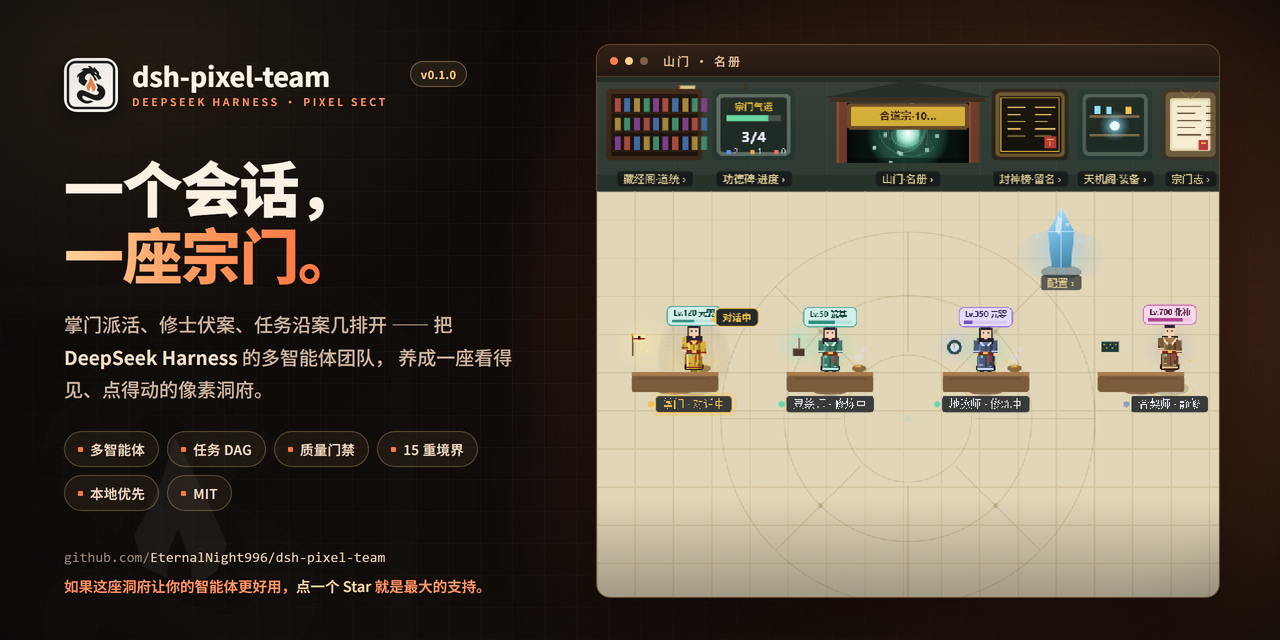
One DeepSeek Harness session becomes a sect: a captain dispatches work, cultivators sit at their desks, and tasks line up along the tables. Durable members, a dependency-aware DAG, independent review, and a 15-realm cultivation layer.
Not another agent dashboard
Most agent UIs hand you a wall of logs. dsh-pixel-team gives you a place: who is working, what is blocked, and what was delivered — written into the hall.
A place, not a log
Six clickable wall facilities, a floor bar, and a living pixel scene. Click a cultivator to talk; click a level badge to open gear. You can see who is working without reading a log.
A real team runtime
Durable member sessions, a captain-led task DAG, dependency-aware dispatch, mailbox, retries, cold recovery, and independent review. Implementers cannot approve their own work.
Progress you can see
Tasks and idle time feed one shared 15-realm ladder; artifacts, mounts and skills are drawn into the hall; crossing a realm gets a longer breakthrough effect.
A real session, not a mockup
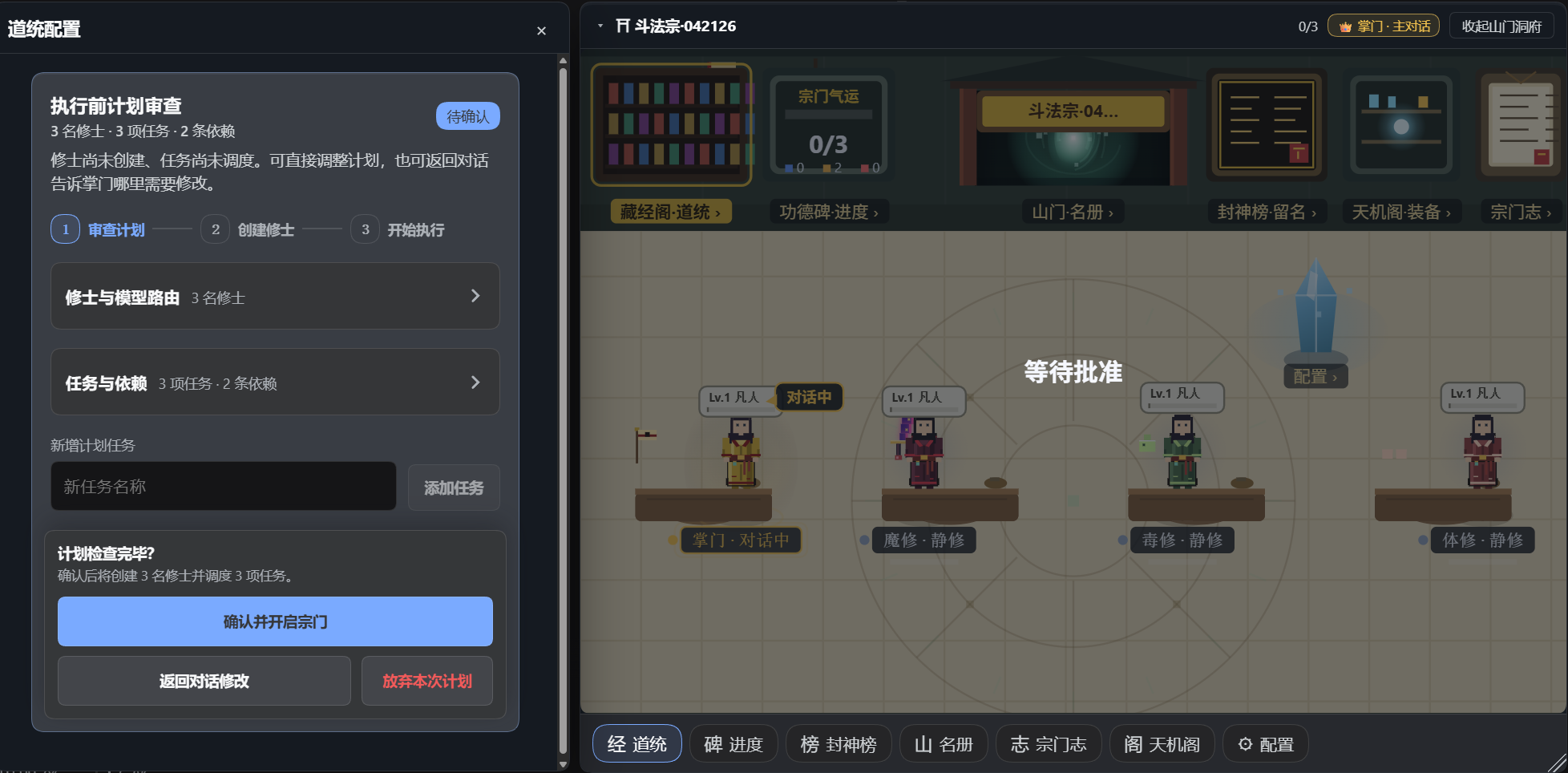
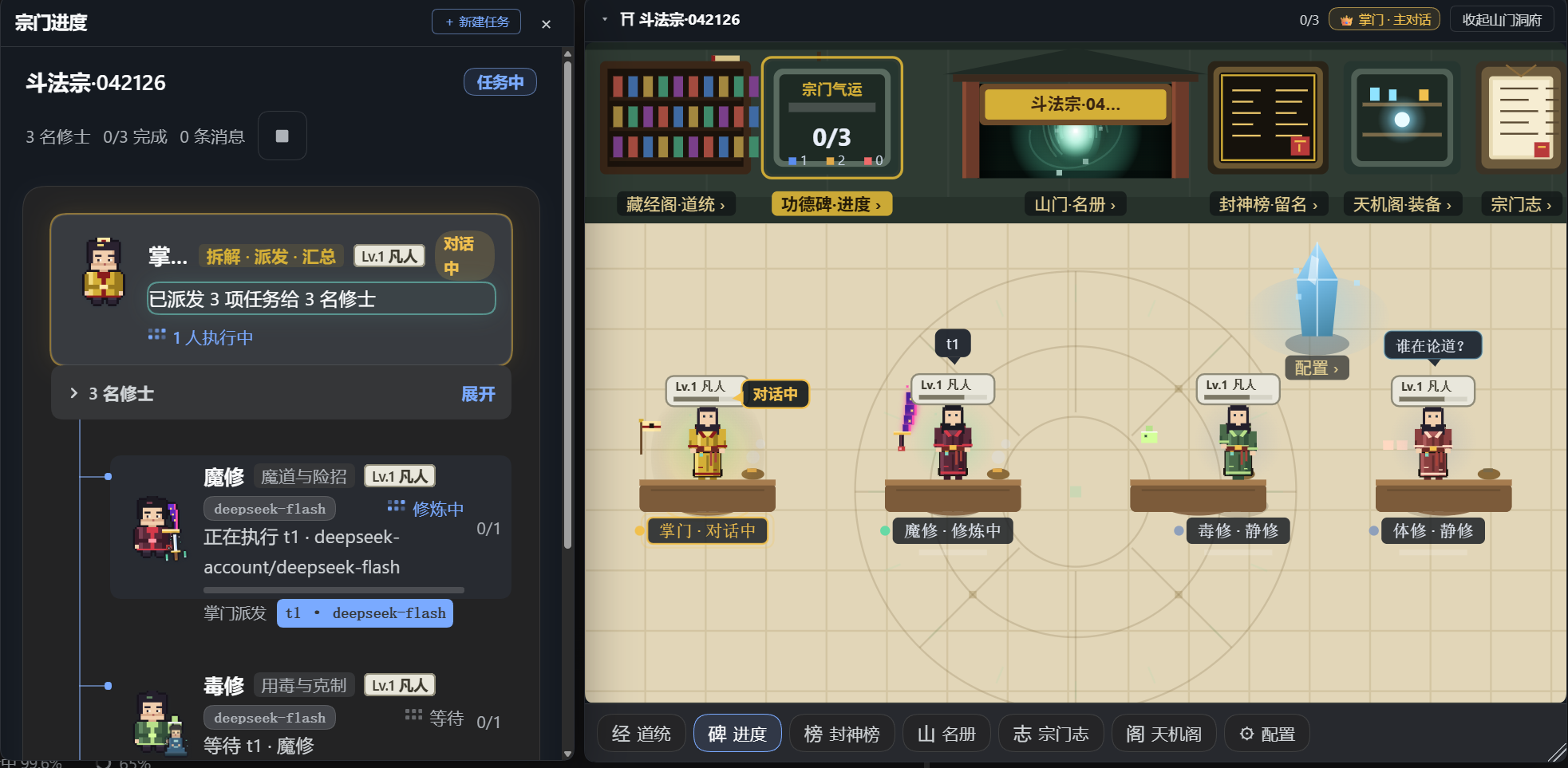
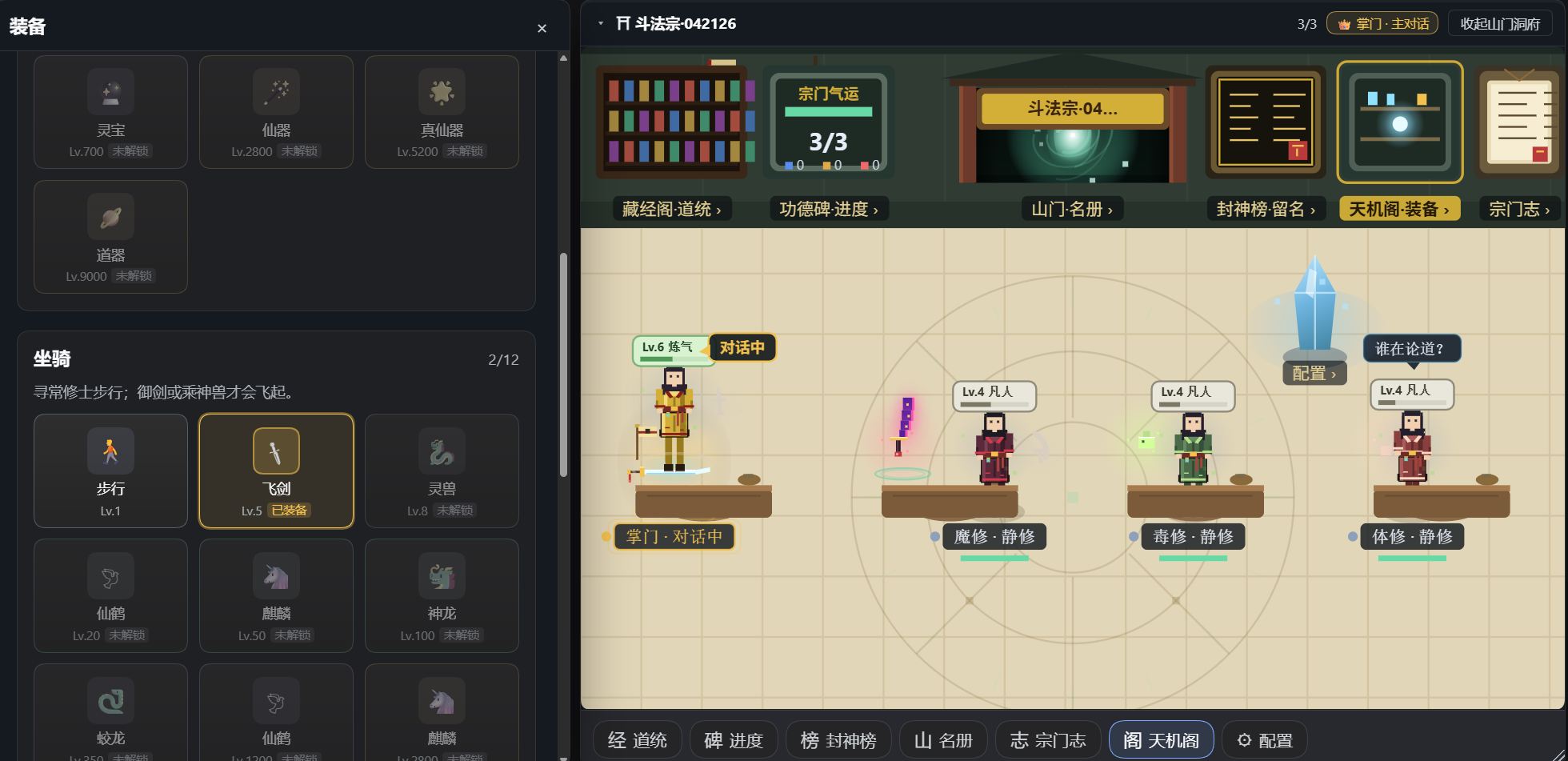
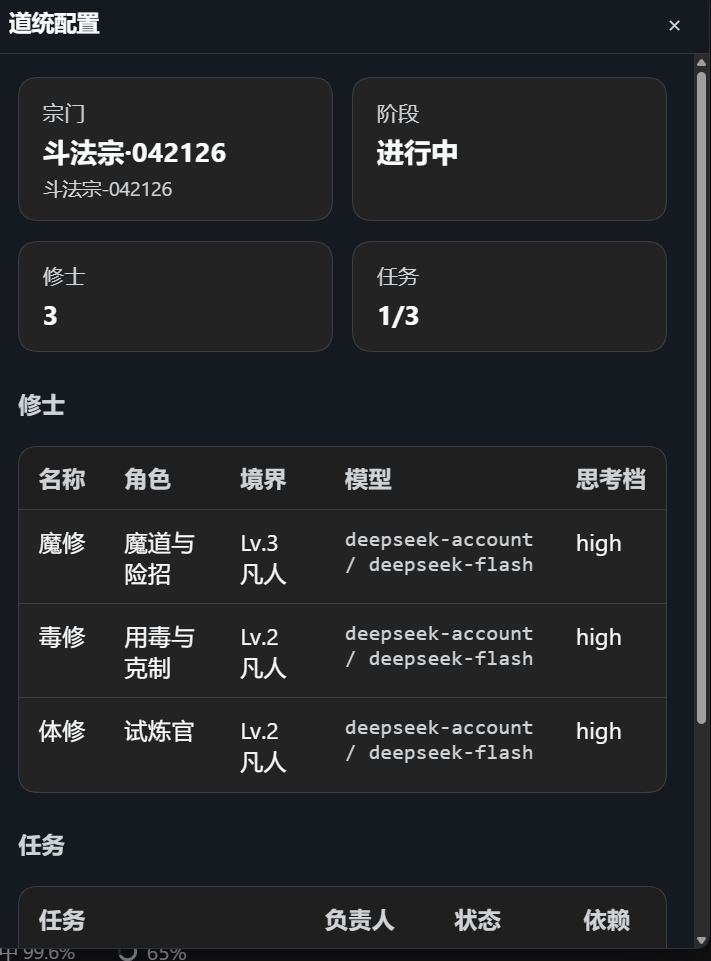
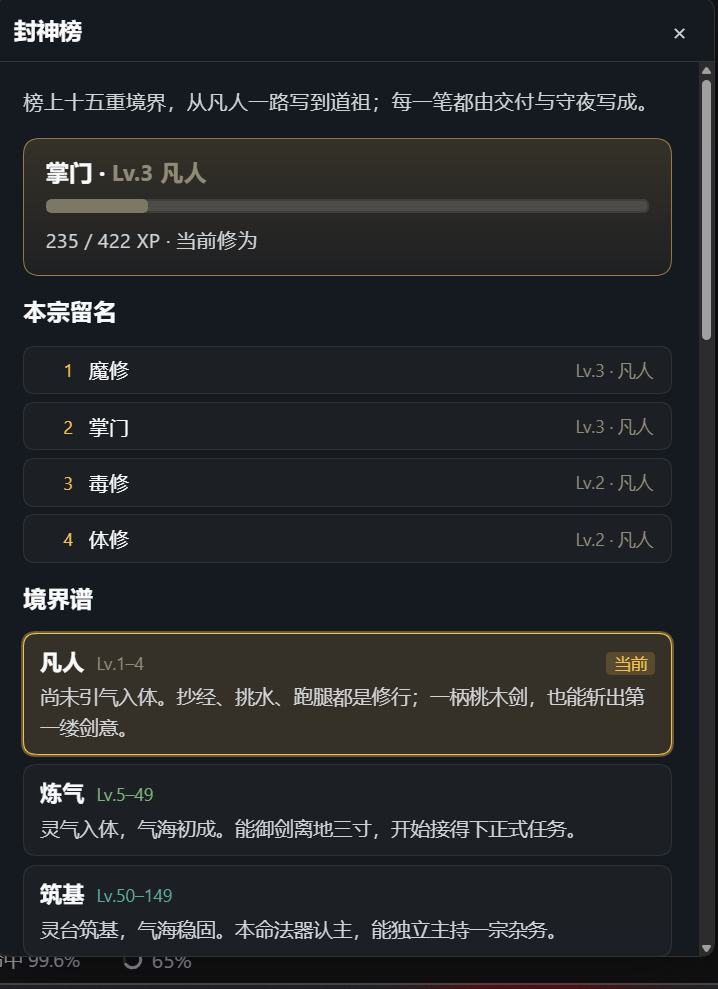
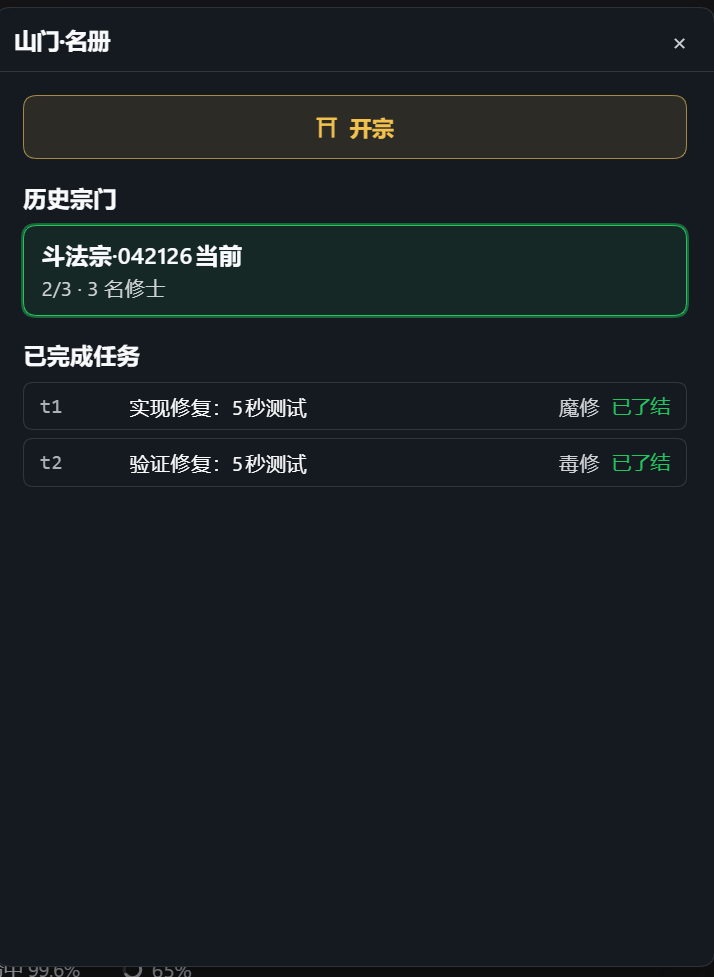
A real team runtime under the pixels
- → Captain-led task DAG, dependency-aware dispatch
- → Durable member sessions, mailbox, attempt ownership
- → Quality contracts: objective / scope / acceptance / verify / verdict
- → Independent verifier and reviewer gates, repair rounds, cold recovery
- → Per-role write scopes so frontend / backend / integration stay disjoint
.agent-teams/<teamId>/
  team.json
  inbox/
  …

# local-first; no cloud account
WORKSPACE STATE · MIT
One command to found a sect
Install it and the founding wizard, plan review, pixel hall and durable team are ready. Full docs are in the GitHub repo.
dsh plugin --profile desktop add dsh-pixel-team@0.1.2
# reopen DSH → 山门 · roster
git clone https://github.com/EternalNight996/dsh-pixel-team
dsh plugin --profile desktop add ./dsh-pixel-team
dsh --profile desktop
# ask: start an AgentTeams team to …
If the hall makes your agents easier to run
Star the repo so more people who want an actual UI for agent teams can find it. The screenshots above are from a live DSH session.